
Temporary Email vs. Aliased Email: Key Differences, Benefits & Best Uses
Temporary Email vs. Aliased Email: What’s the Difference? 📨🔐
If your inbox feels like it’s drowning in newsletters, promo blasts, and spam, you’ve probably looked for ways to protect your real email address. Two of the most common solutions are temporary emails and aliased emails.
At first glance, they might seem the same—they both give you alternative addresses to use online—but they actually serve very different purposes.
Think of it like this:
A temporary email is like a burner phone: quick, disposable, and perfect for one-time use.
An aliased email is like having extra doors to the same house: multiple ways in, but they all still lead back to your main inbox.
Let’s break down the differences, clear up the confusion, and show you when to use each.
✅ What Is a Temporary Email?
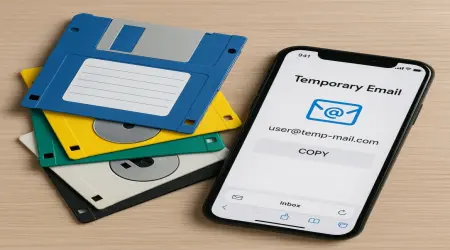
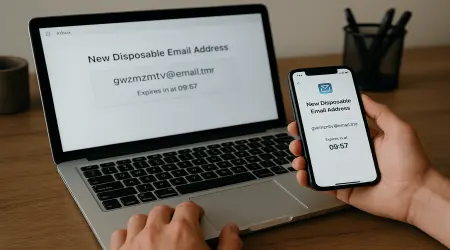
A temporary email (also called temp mail, disposable email, or one-time email) is a short-lived address you create to avoid giving out your real one.
It usually expires after minutes, hours, or days.
It’s often receive-only (you can’t send emails from it).
The inbox may be publicly viewable if you don’t choose a private temp service.
Use Case Example:
You’re signing up for a free trial of a design tool but don’t want their daily marketing emails. You spin up a temp email, get the login link, test the tool, and throw the address away when done. Spam avoided. 🎯
Common Misunderstanding (Corrected):
Some people think temporary email is secure for sensitive tasks (like banking or medical logins). ❌ Wrong. Temporary inboxes are not secure—they can be publicly accessible, and once they expire, you lose access.
Best For:
Freebies & discounts
One-time downloads (eBooks, PDFs, templates)
Quick account tests or demos
Avoiding spam when you know you won’t return
✅ What Is an Aliased Email?
An aliased email (email alias) is a permanent alternate address that still points to your main inbox.
Messages sent to the alias are delivered to your real email.
You can usually create unlimited aliases if your provider supports it.
Aliases don’t expire—they’re long-term and manageable.
Use Case Example:
Your real email is jane@company.com. You create support@company.com as an alias. Customers email the alias, but everything still lands in Jane’s inbox.
Or for personal use, Gmail lets you add +shopping to your email: janedoe+shopping@gmail.com. Now you know every email sent there came from a store signup. 🛒
Common Misunderstanding (Corrected):
Some users think an alias hides their real email completely. ❌ Not exactly. An alias still routes to your main inbox—it’s not disposable. It’s more about organization and filtering than anonymity.
Best For:
Organizing emails by category (work, shopping, newsletters)
Professional contact addresses (support@, info@, press@)
Tracking where spam originates (using unique aliases)
Long-term account management
🔍 Key Differences: Temporary vs. Aliased
| Feature | Temporary Email 🧊 | Aliased Email 🔄 |
|---|---|---|
| Lifespan | Minutes to days | Permanent |
| Purpose | Short-term privacy, avoid spam | Long-term organization, filtering |
| Security | Often insecure (sometimes public inboxes) | Secure (tied to your real provider) |
| Sending Emails | Usually receive-only | Can send & reply as alias (depending on provider) |
| Control | Disposable, no recovery | Fully managed & recoverable |
🎯 When to Use Each
Temporary Email = your digital burner phone. Use when you want a quick sign-up without strings attached.
Aliased Email = your second mailbox key. Use when you want more control and organization, but still need the address long-term.
Example Combo:
Use a temp email for downloading a free eBook from a site you don’t fully trust.
Use an alias like
myname+news@gmail.comfor subscribing to newsletters you do want—so you can filter them easily later.
🧊 The Iceberg Mail Advantage
Iceberg Mail offers both options:
Instant disposable addresses when you need short-term protection.
Customizable aliases so you can keep your real inbox organized, professional, and spam-free.
That means whether you’re dodging spammy marketers or streamlining your workflow, you don’t have to choose one strategy—you can combine both.
📌 Bottom Line
Temporary emails and aliased emails both help you take back control of your inbox—but they solve different problems.
Need privacy for a one-time sign-up? Go with a temporary email.
Want long-term inbox organization? Set up aliases.
When used wisely (and sometimes together), they’re like giving your inbox a bodyguard and a personal assistant. Less clutter, more control, and way more peace of mind. ✨